Canon MAXIFY GX4050 Multifunktionsdrucker (5779C006)

Canon MAXIFY GX4050 Multifunktionsdrucker (5779C006)

Canon MAXIFY GX4050 - Multifunction printer - colour - ink-jet - refillable - Legal (216 x 356 mm) (original) - A4/Legal (media) - up to 18 ipm (printing) - 350 sheets - 33.6 Kbps - USB 2.0, Wi-Fi(ac), LAN

Qty:

Category (Multifunktionsgeräte)
Printers & Accessories
Printers
OEM
5779C006
EAN
4549292204261
SKU
158797 (158797)
Manufacturer
Canon
Master carton
0.0000
Type
Printer
Customs tariff number
84433100
UNSPSC
43212003
eClass
19-02-90-02
eClass V7
19-14-01-90
Dimensions (Girth)
585 x 490 x 340 (2245)
Paper format
A4
Printing technology
Inkjet
Maximum printing speed
11.5 ppm - 13.5 ppm
Maximum printing resolution
1,200dpi

Print large volumes of high-quality business documents while making huge savings on CPP and TCO with this refillable and easy to use 4-in-1 MegaTank-equipped MAXIFY GX printer with ADF, Wi-Fi and Ethernet.

Brilliant productivity, best-in-class CPP and TCO
Cost per page (CPP) is the amount of money that it takes to print a single page. This is determined by dividing the cost of the ink by the page yield.

The total cost of ownership (TCO) is a calculation of what a printer would cost you based on the initial purchase cost of hardware plus the costs of ink over a fixed period.

Low running costs, brilliant productivity
With a full set of ink bottles producing up to 14,000 prints, this high-performance, high-volume MegaTank printer delivers huge savings on the total cost of ownership and cost per page. That’s a smart investment for any home office.

Compatible Apps and Software
Print documents, photos and more direct from your smart device with the free Canon PRINT app, or quickly design and print visually striking posters and flyers with PosterArtist. Use PIXMA Cloud Link to send scans to or print from popular cloud services including Dropbox, Google Drive and OneDrive.

Canon Easy-PhotoPrint Editor turns your favourite photos (from your device or cloud storage) into stylish, personalised gifts such as cards and calendars.

The simple to use Easy-Layout Editor allows you to freely arrange the layout of various documents before printing them. Ideal for printing images, posters, web pages and more.

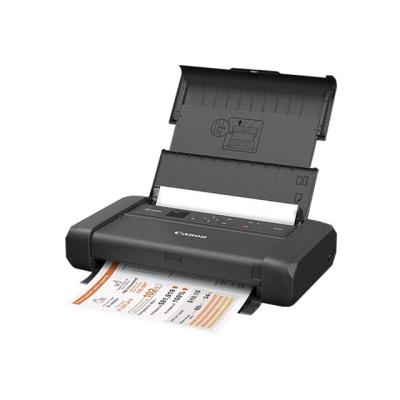
  • Low running costs, brilliant productivity
    This high-performance, high-volume MegaTank printer delivers huge savings on the total cost of ownership and cost per page. That's a smart investment for any home office.
  • Ultra-low running costs
    Save over the printer's lifetime thanks to cost effective refillable ink tanks that vastly reduce the total cost of ownership and cost per page.
  • Brilliant business-quality prints
    Enjoy water-, friction- and marker-resistant, business-friendly prints with excellent readability, delivered quickly and in large volumes.
  • Print more media in-house
    Print flyers, banners and posters in-house thanks to compatibility with a wide variety of materials including magnetic and photo media, plus a new rear flat tray that supports thicker media and card.
  • Print without pause
    Print high volumes of documents without irritating paper reloads, thanks to a 100-sheet rear feed and a 250-sheet front cassette, windowed to make checking paper levels quick and easy. A 35-sheet ADF simplifies multipage document management.

Address
Name
Canon
Email
info@canon.de
Website
https://www.canon.de/
Telephone
+49 (0)2151 / 345 - 0
Street
Europark Fichtenhain A10
Postcode
47807
City
Krefeld
Country
DE