Cherry MW 9100 Maus (JW-9100-2) (JW91002)

Cherry MW 9100 Maus (JW-9100-2) (JW91002)

CHERRY MW 9100 - Mouse - 6 buttons - wireless - 2.4 GHz, Bluetooth 4.0 - USB wireless receiver - black

Qty:

Category (Eingabegeräte)
PC Components
Input Devices
OEM
JW-9100-2
EAN
4025112097256
SKU
151518 (151518)
Manufacturer
Cherry
Master carton
0.0000
Type
Mouse
Line
Cherry MW Series
Color
Black
Customs tariff number
84716070
UNSPSC
43211708
eClass
19-02-04-01
eClass V7
19-13-01-90
Dimensions (Girth)
110 x 85 x 50 (380)
Type
Mouse
Interfaces
Bluetooth
Wireless technology
Wireless

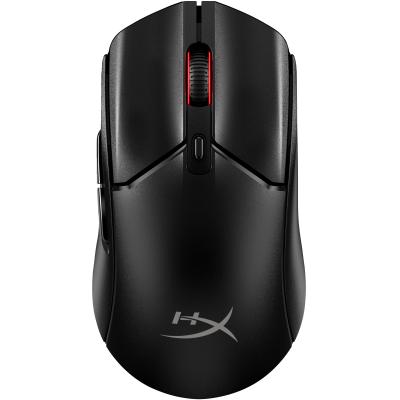
With its rubber side panels and compact shape, the wireless CHERRY MW 9100 computer mouse fits snugly in your hand. By pressing the DPI button, you can adjust to a high resolution of up to 2,400 dpi in 3 steps : 1,000, 1,600 or 2,400 dpi. The built-in lithium battery charges using the included USB-C cable even when the mouse is being used. One charge can then last for several weeks. The two-color status LED provides information on the battery status, the charging status, the connection status, or the current resolution.
For maximum flexibility, you can connect the CHERRY MW 9100 without cables either via Bluetooth® or with the included 2.4 GHz wireless USB receiver. You can toggle between these connection types using a slide switch on the bottom of the mouse, so for example, you can connect to a laptop via Bluetooth® and a PC via the USB dongle, meaning you can now operate both devices with the same mouse. Data is transferred using AES-128 encryption in both cases.
But that's not all: A durable mouse wheel, a magnetic lock for the USB receiver and a practical carrying pouch: Let all the little details of the MW 9100 wow you, and you’ll love with this wireless mouse both on the road and in the office.
  • The perfect companion - compact design & practical features
    You can set it to three different resolution levels and using the handy DPI button, you can easily switch between 1000, 1600 and 2400 dpi. One charge of the lithium-ion battery lasts several weeks, but when the battery is low, the mouse charges conveniently via the included USB-C cable while you continue working.
  • Ideal in the office and on the move
    The MW 9100 can be connected to your device using Bluetooth or the 2.4 GHz radio receiver. Using the slide switch on the bottom of the wireless mouse, you can easily change between either connection mode. In both cases, the transmission is carried out using AES-128 encryption. Whilst travelling, store the CHERRY MW 9100 in the transport bag (included). The USB receiver is stored magnetically inside the mouse.

Address
Name
Cherry
Email
info@cherry.de
Website
https://www.cherry.de/
Telephone
+49 9643 2061 100
Street
Rosental 7
Postcode
80331
City
München
Country
DE